Tuesday, May 15, 2012

Photo Effect App

Hello,

      Now you do more attractive and awesome effect to Photo in BlackBerry Smart Phone  by using  "Photo Effect App".You can download from below link.

      Download.

Saturday, February 18, 2012

Free Currency Converter for BlackBerry Playbook.

Hello,

        Now you download Currency Converter App from the BlackBerry App World.So check it Out below link.
 
         Download App

Friday, January 20, 2012

Google Sky Map for BlackBerry Playbook

Hello,

       Now you use the Google Sky Map into BlackBerry Playbook.

Google Sky Map - Download

Note :- You need the Updated OS 2.0 into your Playbook.


Saturday, January 7, 2012

LinkedIn App for BlackBerry Playbook

Hello,

        Every buddy,Now you use as a App of LinkedIn into BlackBerry Playbook.So simple to download this bar file for Apps.

     Linked In Apps

 Enjoy it.

Friday, January 6, 2012

How the install .apk file into BlackBerry Playbook?

Hello,

    Every body today i got one solution about install .apk file into BlackBerry Playbook .Here i given you some step so follow it .


   Right now this step for beta Os 2.0.

Step : 1 -  First Register your playbook devices for Os 2.0 beta into below Link

             https://bdsc.webapps.blackberry.com/android/beta/bbtablet20/register/

     Note :- Make sure you upgrade your Playbook Os into 24 hr another you register Second time.

Step : 2 - Now you repackaging apk file into bar file.So follow the below link.In there some instruction given you               so follow those instruction.

              https://bdsc.webapps.blackberry.com/android/tool/

Step : 3 - This all step follow then install Android SDK and also install blackberry Playbook SDK.

Step : 4 - After install all you connect your device to Computer and then on the development mode from the devices at that time you got one IP so this ip use into install .bar file into Devices.

Step : 5 - Check this URL for install app to Playbook.

              http://supportforums.blackberry.com/t5/Tablet-OS-SDK-for-Adobe-AIR/How-the-install-Application-in-the-        BlackBerry-Playbook-Devices/m-p/1042923


Saturday, December 17, 2011

How to Install Simulator and Cod File in BlackBerry?


Downloading and Installing the BlackBerry Simulator
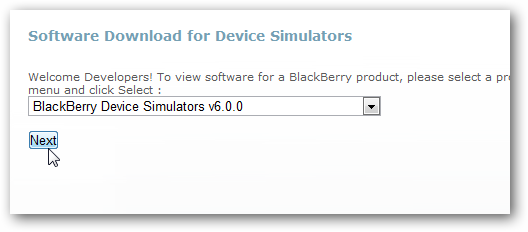
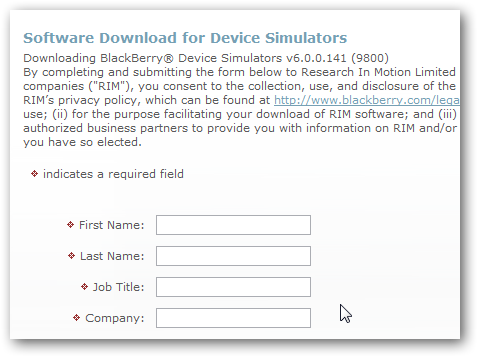
First, you’ll need to download and install the BlackBerry Simulator.You download from this URL.   Head over to the download page (link below), select the version of BlackBerry OS you want to try, and click Next.  We’re going to select v6.0.0, which is the latest version that will ship on the BlackBerry Torch.
image
You’ll need to register for the download, so enter your name and other info.
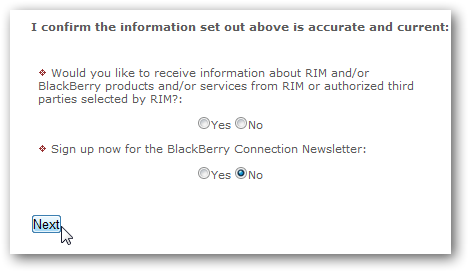
When you’re done, confirm that your information is correct, select whether or not you want to receive emails from RIM or BlackBerry, and click Next.
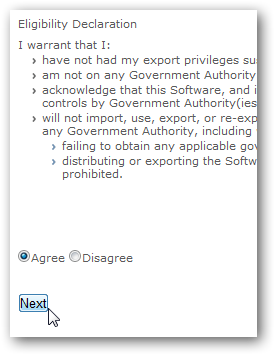
Agree to the license, and click Next.
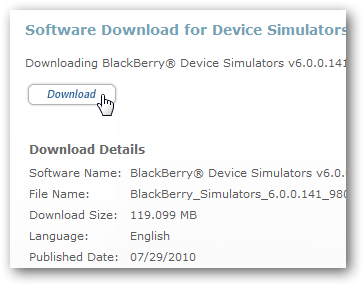
Finally, click the Download link to download the simulator software.
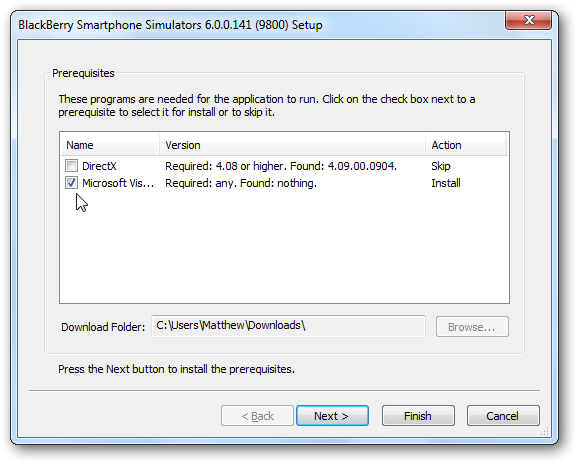
Once the download is finished, run the installer.  Your computer may need to install some extra dependencies, so simply click Next to continue and install them automatically.

Once the prerequisites are installed, you’ll see the standard BlackBerry Simulator installer; click Next and setup as normal.
Once it’s installed, you’ll be ready to run your new virtual BlackBerry device from the start menu.
Using the BlackBerry Simulator
When you first run the Simulator, you may need to add an exception for it to your Firewall.  Windows Firewall will ask you to allow it to access your home networks, so just click Allow Access to let it have access to the internet.
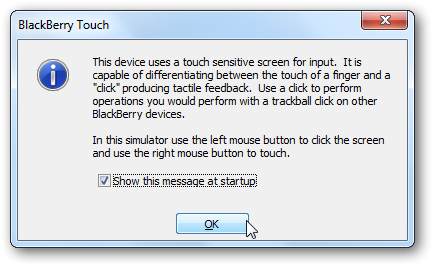
You’ll also be prompted by the simulator with info about using the virtual touch screen on the simulator.
Now you’ll see a virtual BlackBerry on your desktop, booting the latest version of BlackBerry OS.
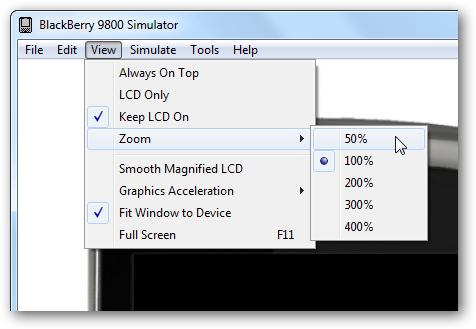
The simulator may be larger than your screen, so you may have to scroll down to see all of the virtual device.  You can change the zoom on the device from the View menu if you’d like.
Here’s the simulator at 50% zoom, so now we can see it all at once.
Install Apps Manually
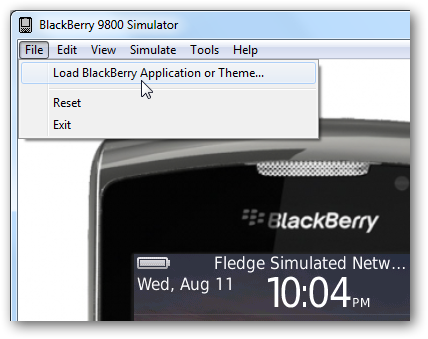
If you have a BlackBerry app you’ve downloaded directly from the internet, you can install it in the emulator as well.  Click Load BlackBerry Application in the File menu to open the application.

Select the *.cod file you’ve downloaded in the Explorer window that opens.
Monday, December 12, 2011

How to install additional languages on your BlackBerry smartphone?


To install another language to your BlackBerry smartphone, you will need BlackBerry® Desktop Software installed on your PC. From the computer with your desktop software installed, download and install the software bundle that contains the language that you wish to add to your device. Once the software bundle has been installed, the language bundles that are available for your device will depend on the wireless service provider.

How to install and configure additional language packs on a BlackBerry smartphone

  1. From the BlackBerry Desktop Software website, download the BlackBerry® Device Software for the BlackBerry smartphone that includes the language pack you want. For example, BlackBerry Device Software v5.0.0.1014 (All Languages – East Asia languages included)
  2. Open BlackBerry Desktop Manager.
  3. Select the application loader tool.
  4. Open Add/Remove Programs. At this point, BlackBerry Desktop Manager will confirm if the installed version of BlackBerry Device Software version is specific to the wireless service provider that the BlackBerry smartphone was purchased from.
  5. From the Device Application Select screen, locate East Asian Language and Input Support.
  6. Select the language you want to install.
  7. Click Next. The installation will begin.
Once the BlackBerry Device Software is installed on the BlackBerry smartphone, complete the following:
  1. Go to Options.
  2. Under Input Language, select the language that was installed.
  3. Save your changes.
  4. Compose an email message to test the input language.

Note :- For more information on installing BlackBerry Desktop Software, see How to install the BlackBerry Desktop Software for Microsoft Windows.